Fundsy
Get the app

NEWFundsy 5.0 — new icon, a keypad for money, a new History

Know what's left to spend.

Envelope budgeting where every penny has a job. Fundsy catches card payments from your bank notifications and shows one number: what's truly free until payday.

  • 14 days of Premium free, no card
  • No bank login
  • 14 languages

INSIDE THE APP

Three moves. No spreadsheets.

Fund your envelopes once a month. Spend. Fundsy handles the rest.

  1. 01

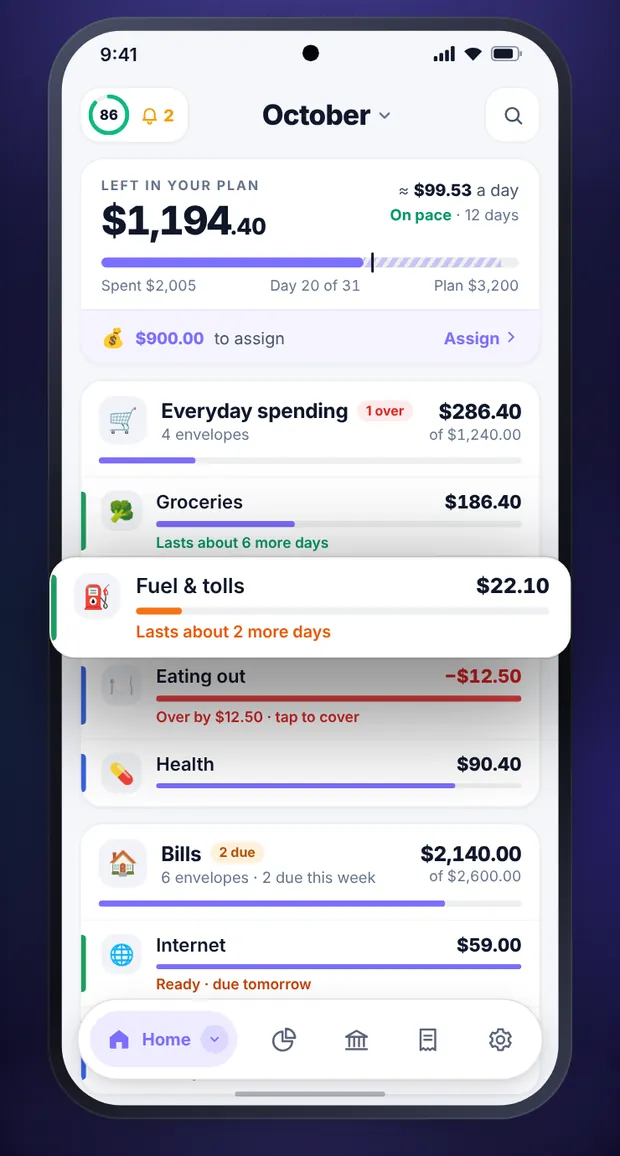
    Every penny gets a job

    Fund your envelopes once a month, then simply spend what's inside.

  2. 02

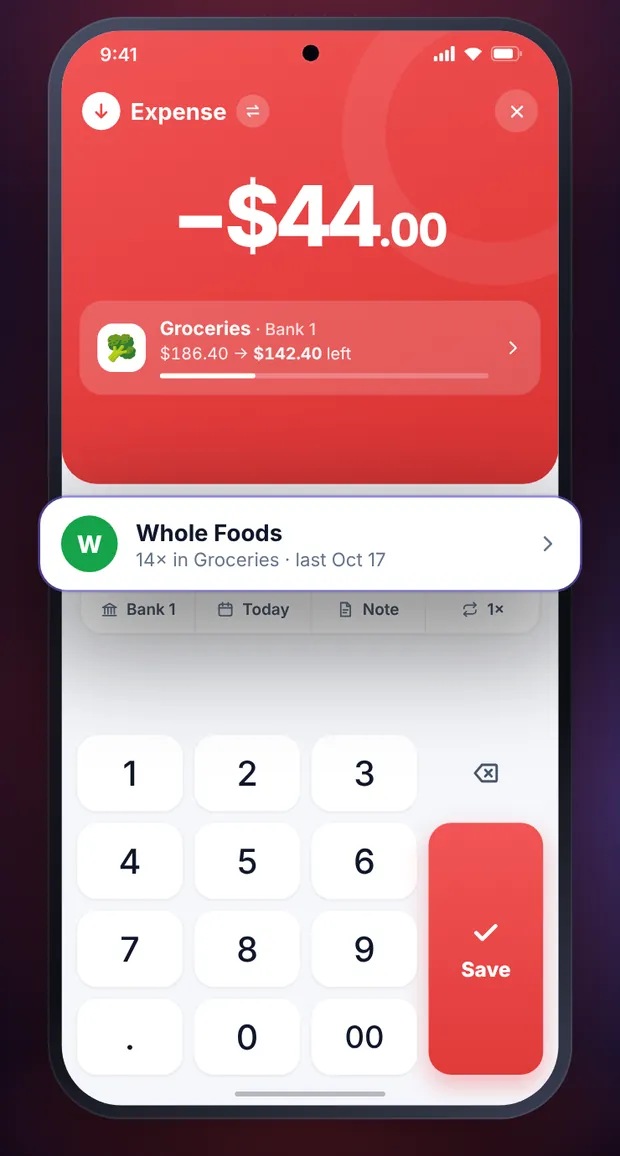
    Amount. Payee. Saved.

    A keypad made for money. The envelope and account are already picked.

  3. 03

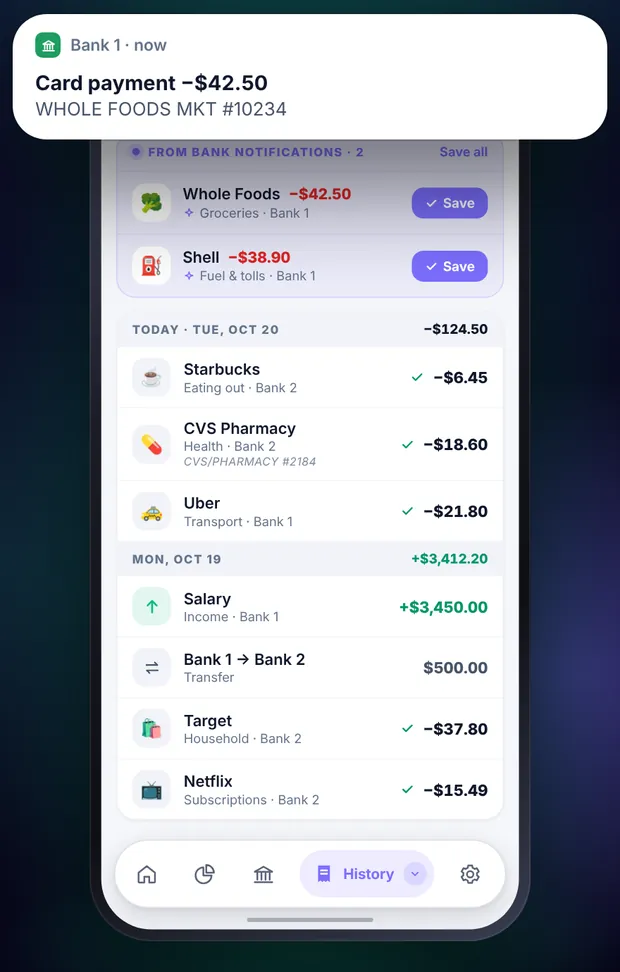
    Your bank pings. Fundsy books it.

    Card payments from bank notifications land in Fundsy — saved in one tap.

  4. 04

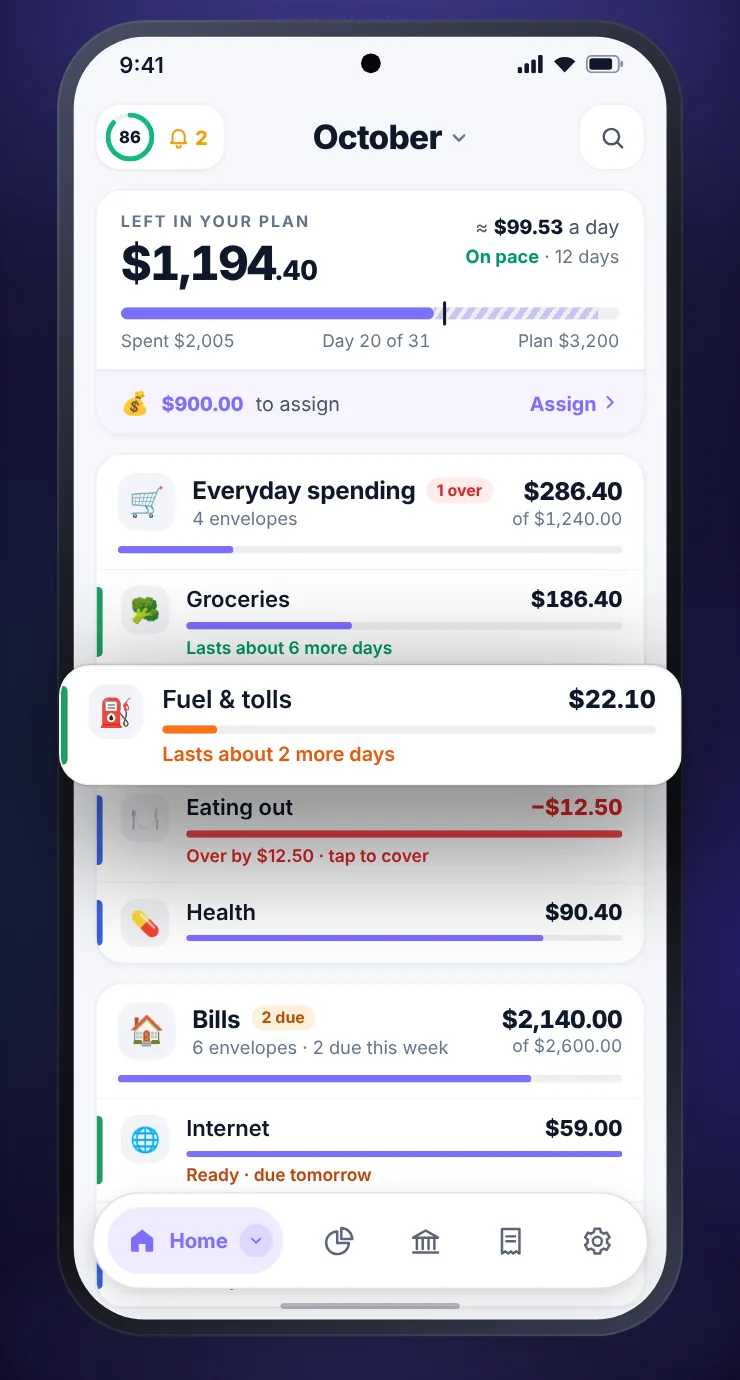
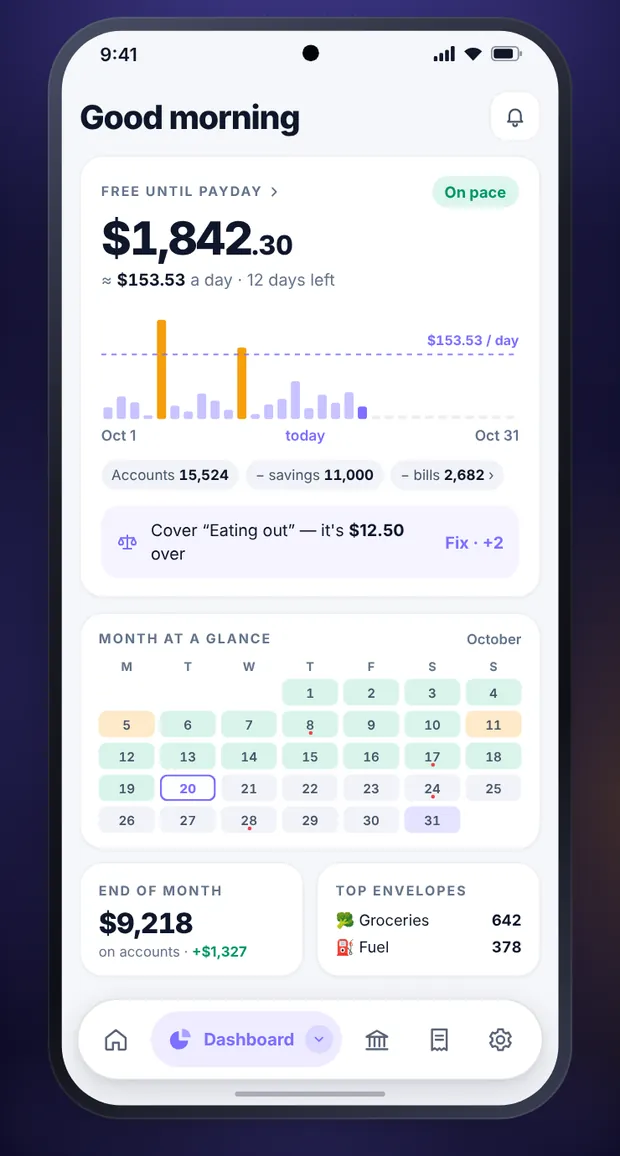
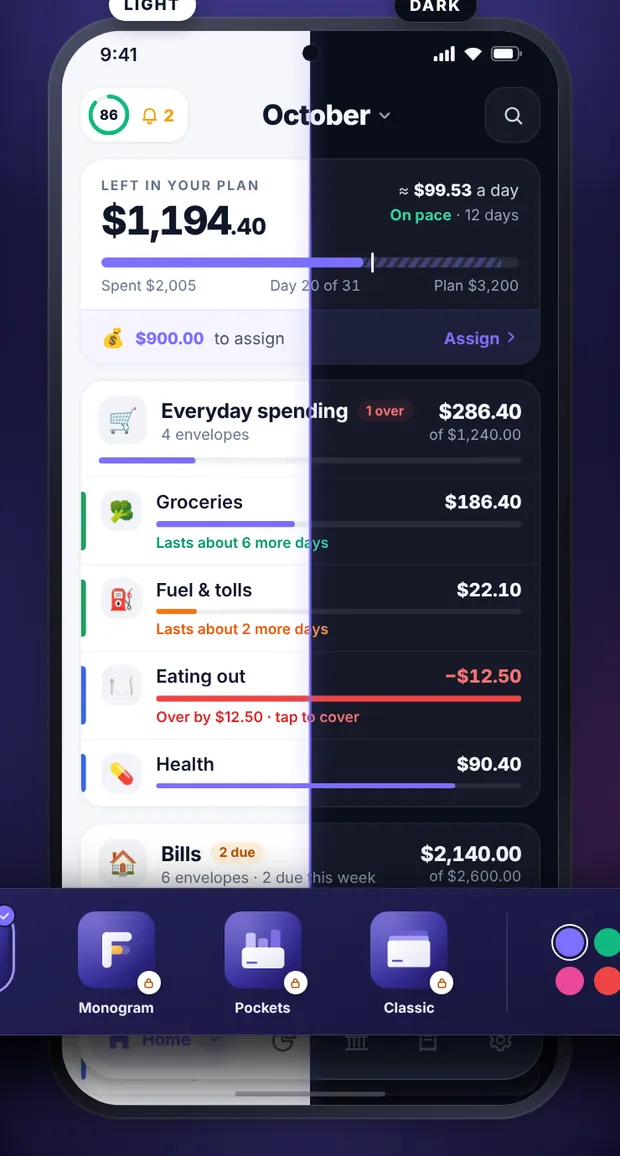
    One number until payday

    What's truly free after savings and bills — and your daily pace.

  5. 05

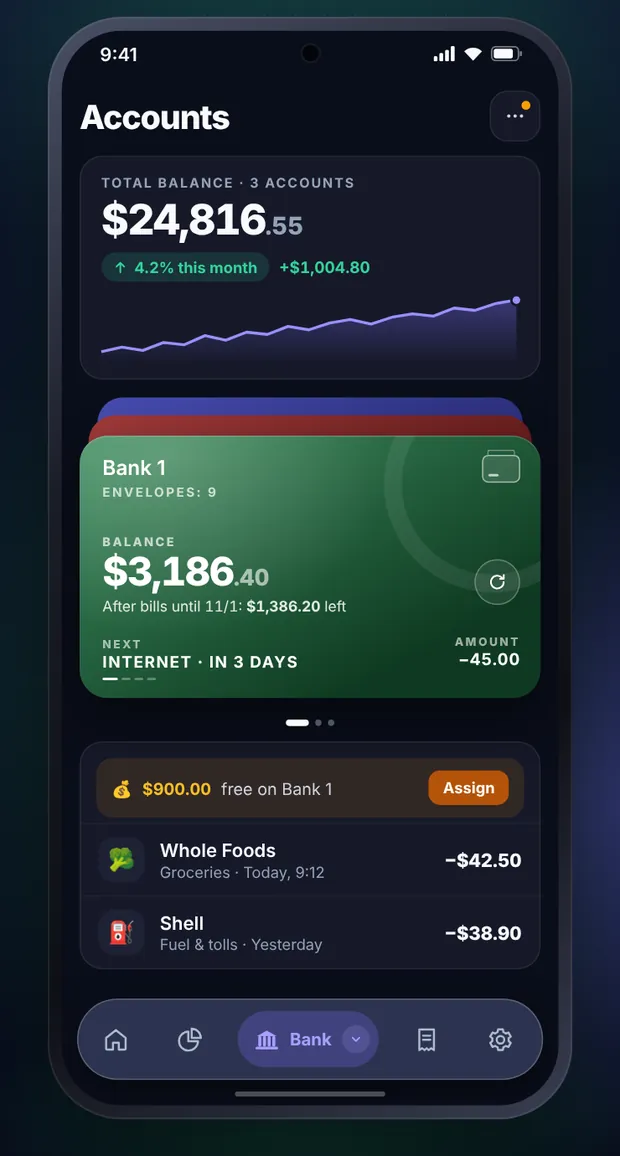
    All accounts, one picture

    Balance, this month's trend and what's left after bills — on every card.

  6. 06

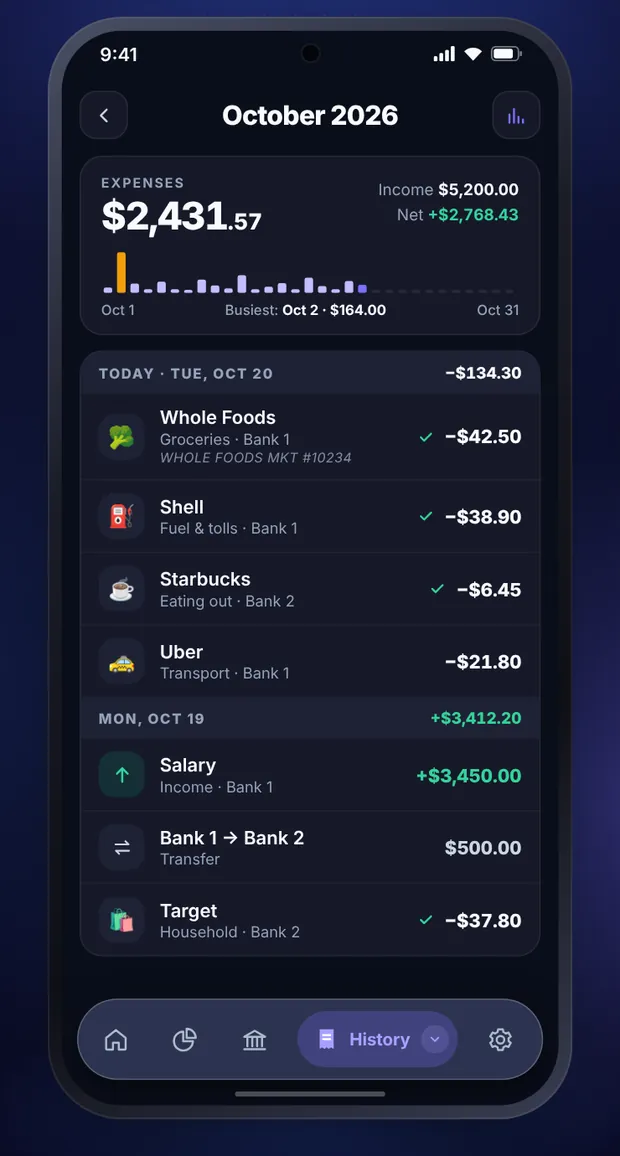
    History that tells you something

    Day by day, with a mini chart that shows when you spent the most.

  7. 07

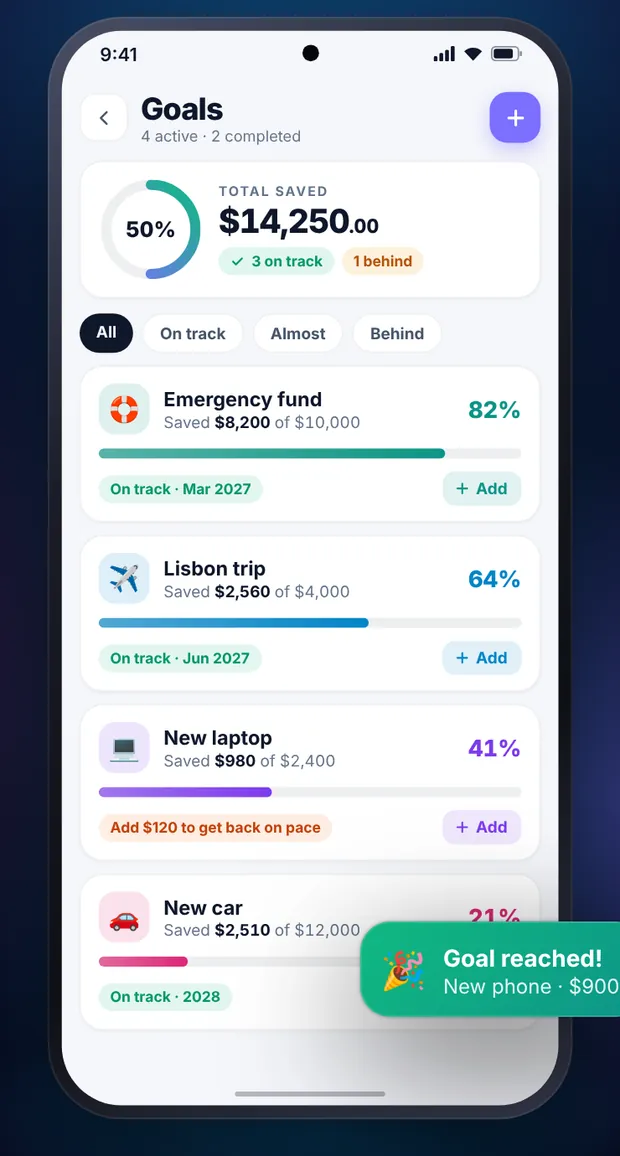
    Goals that keep the pace

    You always know how much to add to stay on track.

  8. 08

    Your colours. Your icon.

    Light or dark, an accent you love and a choice of app icons.

BUILT IN

Everything you need. Nothing you don't.

  • Home-screen widget

    Add a spend without opening the app.

  • Fingerprint lock

    Only you see your balances.

  • Backup to Google Drive

    Automatic, on your own account.

  • Statement reconciliation

    Load your bank statement and check that everything adds up.

  • CSV & PDF export

    Your data always goes with you.

  • 14 languages

    From Polish to Japanese.

PRIVACY

Your money. Your data. Your phone.

Privacy policy
  • No bank login

    Fundsy never asks for your bank login or password. It recognises payments from notifications on your phone — only with your permission.

  • Backups where you want them

    A file on your phone or your own Google Drive. Export your data any time.

  • Delete your account — everything goes

    One tap in Settings removes your account with all its data. No emails to support.

FAQ

Questions everyone asks.

Not here? Write to fundsy@int.pl

Does Fundsy connect to my bank?

No. You never enter your bank login. Fundsy reads payment notifications on your phone (when you allow it) and suggests a ready entry for you to confirm.

What is envelope budgeting?

At the start of the month you split your money into “envelopes” — groceries, fuel, bills, fun. You spend from an envelope and always know what's left in it.

What happens after 14 days of Premium?

You go back to the free plan and your data stays. You can turn Premium on in the app at any time.

Is there an iPhone version?

For now Fundsy is available on Android only.

Can I take my data with me?

Yes. Back up to a file or Google Drive, and export your transactions to CSV.

Your money finally has a plan.

14 days of Premium free. No card, no commitment.

GET IT ONGoogle Play